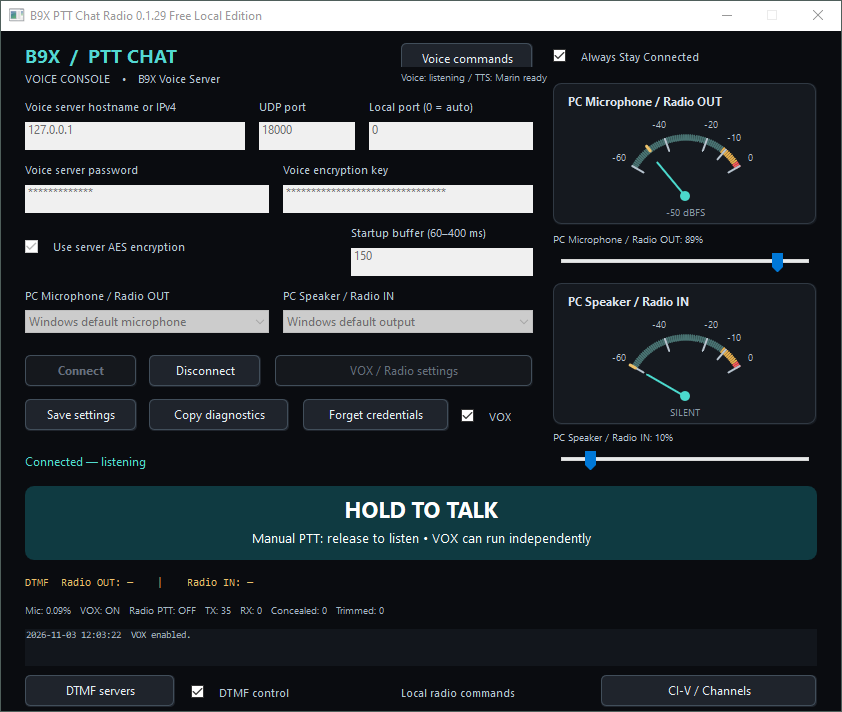
Description
Your own voice server—with free Windows Local and Android apps to bring your group together.
Start a small voice group, connect your radio station, or combine PC and Android users in one conversation. The B9X Voice – Starter Edition provides a B9X Voice Server license for up to three simultaneous client connections.
Use it with the free B9X PTT Chat Radio for Windows Local Edition and the free B9X PTT Chat for Android app, downloaded separately. No Windows Local or Android client purchase is required.
How it works
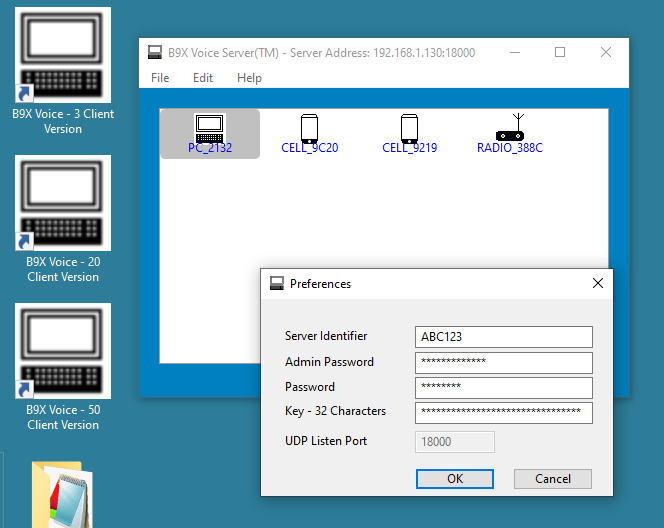
Run B9X Voice Server on a Windows PC. Connected participants take turns speaking, and the server distributes the active speaker’s audio to the group.
For PC voice operation or a radio gateway, run the free Windows Local Edition on that same computer. Android users can connect over your local Wi-Fi network or remotely when the server is reachable over the Internet.
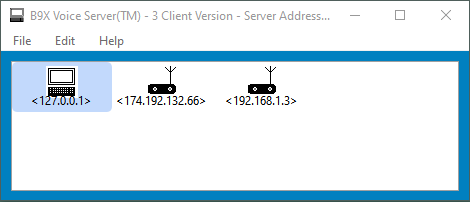
Example: One Windows radio gateway and two Android phones can connect simultaneously under the three-client server license.
What is included?
- B9X Voice Server — Three-Client License: Allows up to three compatible clients to be connected at the same time.
- Free Windows Local Edition available separately: Provides PC voice and radio-gateway features without an additional client license charge.
- Free Android app available separately: Provides mobile voice, group text messaging, spoken-message playback and saved-channel requests.
The free apps are available at no charge. Your purchase is for the server license.
Free Windows voice and radio features
Use a microphone and headphones for ordinary PC voice chat, or connect a suitable radio interface to create a gateway.
The Windows Local Edition includes:
- Manual push-to-talk and adjustable hands-free VOX.
- Analog microphone and speaker audio meters.
- Separate microphone and speaker volume controls.
- Adjustable playback buffering.
- Selectable RTS or DTR transmitter PTT with lead and release delays.
- Morse identification with configurable call sign, tone, speed and interval.
- Saved local-server profiles and DTMF connect/disconnect commands.
- Optional spoken connection commands and AI-generated connection announcements.
- Automatic startup connection and reconnection options.
- Icom IC-2730A CI-V channel presets and targeted remote channel selection.
Understand the Local Edition
The free Windows client connects only to 127.0.0.1, meaning the server must run on the same Windows PC.
This does not prevent remote participation. Android users can connect to that server using its reachable network address and communicate through the local Windows radio gateway.
The free Windows client cannot connect to a server hosted on another computer—even another PC on the same LAN.
Free Android access
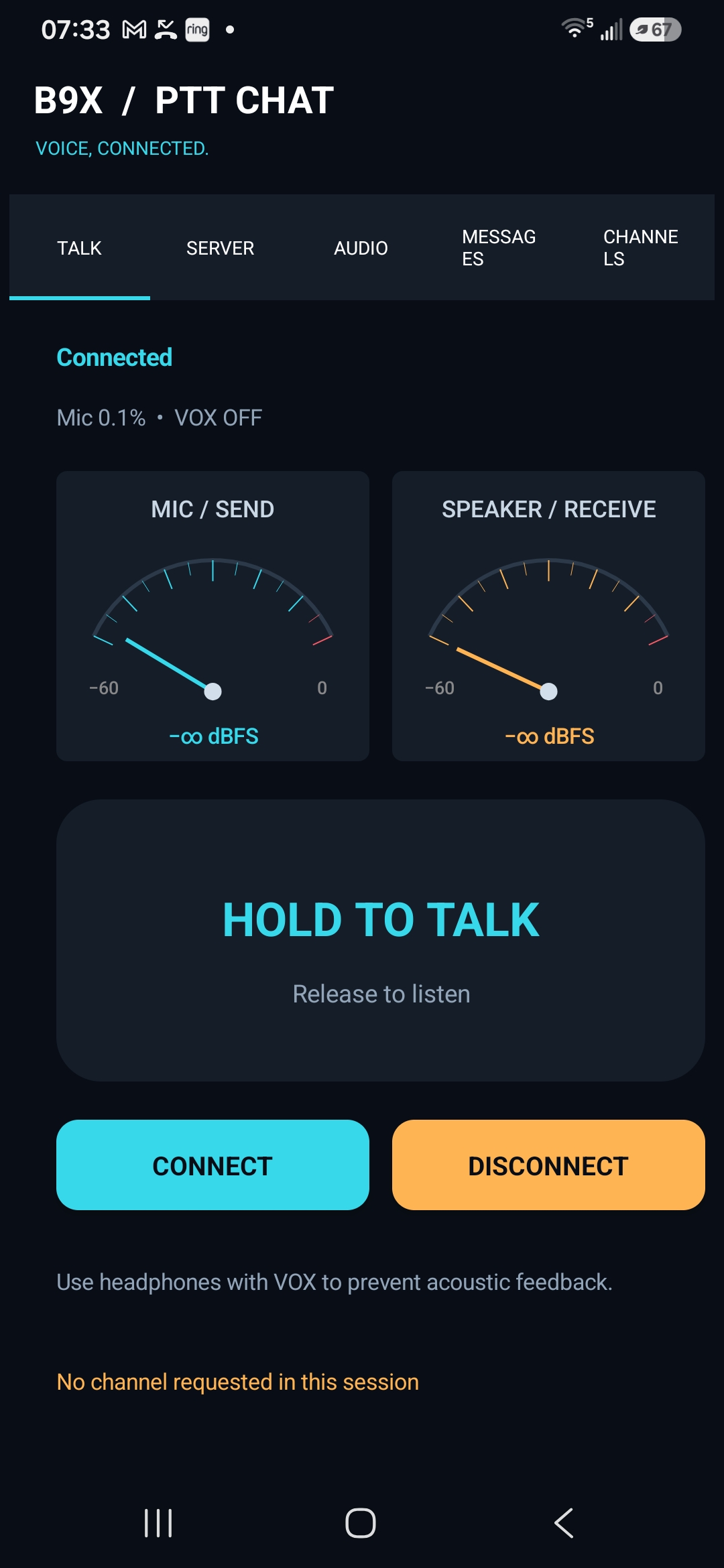
Android users can hold to talk, enable VOX, adjust audio levels, exchange group text messages and optionally hear received messages spoken aloud.
With a configured Windows radio gateway, they can also select a target Radio ID and request one of its saved channels. Each connected Android device counts toward the server’s three-client limit.
Remote IC-2730A channel selection
Create named presets on the Windows gateway containing frequency, operating mode, duplex offset and CTCSS settings.
From Android, select the gateway’s Radio ID and saved channel number. After completing the operation, Windows broadcasts a text message identifying the radio, channel description and frequency. Errors are also reported through text messages.
Channel numbers refer to presets in the Windows application, not automatically to the radio’s internal memory channels.
What you need
For basic operation, you need a suitable Windows PC for the server, compatible client devices, audio input/output and a working network connection.
Radio linking additionally requires a compatible radio, an appropriate audio/PTT interface such as the DigiRig Mobile, and suitable cables. For IC-2730A CI-V control, use an Icom OPC-478UC-1 cable. A suitable custom cable can alternatively connect directly to the DigiRig Mobile; contact DigiRig for wiring and interface-configuration details.
Internet access by remote clients requires the server’s configured UDP port to be publicly reachable. Router and firewall configuration may be necessary.
Important purchase information
- The server license permits three simultaneous client connections; a connected Windows gateway uses one of them.
- Communication is half-duplex: participants take turns speaking.
- Windows Local and Android apps are free downloads.
- Computers, radios, interfaces and cables are not included.
- Optional OpenAI features require separate API access and may incur usage charges.
- Radio operation requires appropriate authorization and suitable equipment.
A practical starting point for your own B9X voice group—with free client apps and the option to add radio linking when you are ready.